
UNDERSTANDING ELECTRIC DEMAND
This page includes several sections you can choose from using the tabs below.
-
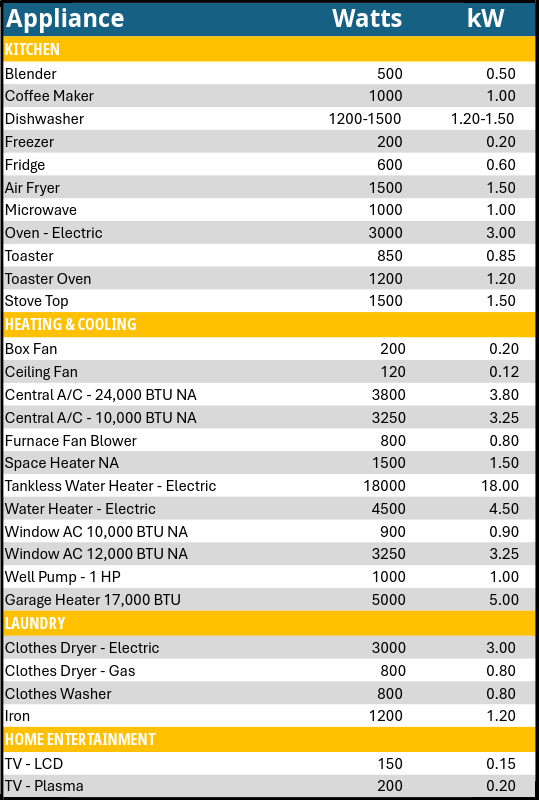
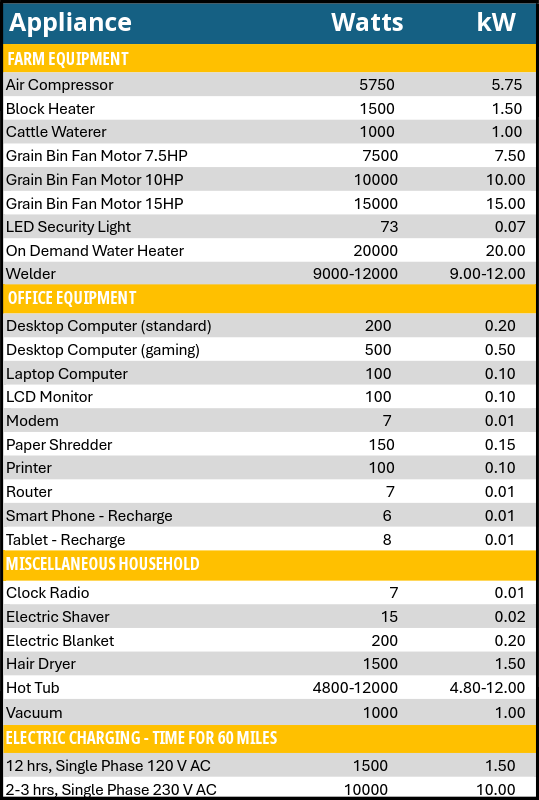
Appliance Power Usage – View a list of common household appliances and learn how many watts and kW they typically use.
-
Estimate Your Bill – Use our bill calculator to enter your service charge, energy use, and demand to get an estimated total monthly cost.
-
Rate Change FAQs – Browse answers to frequently asked questions about our recent rate changes and the new demand charge.
-
Demand Explanation Videos – Watch short videos from our YouTube channel that explain how demand works and how it may affect your bill.
Starting in January 2026, Dakota Energy Cooperative will implement a residential demand billing rate structure.
The power you use any point in time requires specifically sized equipment to carry that power. The more homes and businesses that are using that power at once the larger the Dakota Energy substation, poles, transformers, and equipment needed to reliably deliver and maintain the system.
Historically, electricity at home has been solely based on how much is used. This change separates the demand component from the historical consumption price that we have known for so long. New metering technology has given utilities the ability to recover their costs in alignment with how those costs are incurred.
Calculate Demand Billing
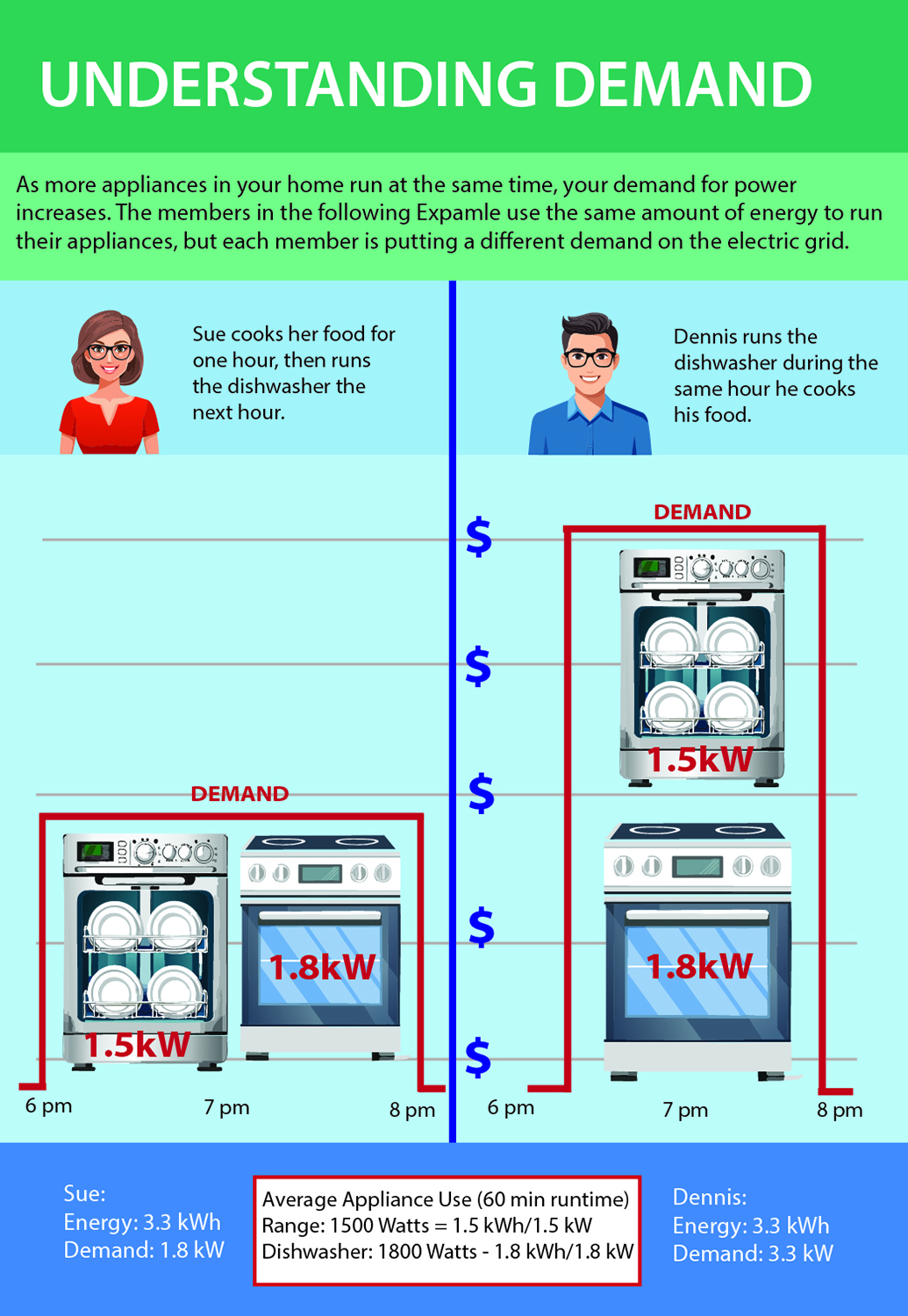
For example, the more appliances being used all at once, the higher the demand for the electrical system. Using the electric oven, washing machine, clothes dryer, microwave, and space heater at one time creates greater demand than only using the oven and washing machine at once.
As your power provider, Dakota Energy must meet members' demands for electricity. We must be ready for the fluctuations in demand, including the highest peaks. The demand billing rate recovers our cost to make power available to you at any given point during the day. To recover those costs fairly, we apply the rate individually, based on the maximum amount of power you use at one time during the month.
The new change allows Dakota Energy to more accurately allocate its expenses based on how they are incurred by the Cooperative. At the same time, the billing change allows the Cooperative to most equitably charge members based on their demand to the system.
Looking at the "Understanding Demand" illustration: by using the electric stove and dish washing machine at different times, the member can decrease their demand and reduce some of the increase in the monthly electric bill. Members will be billed on their highest demand for the month.
Web View
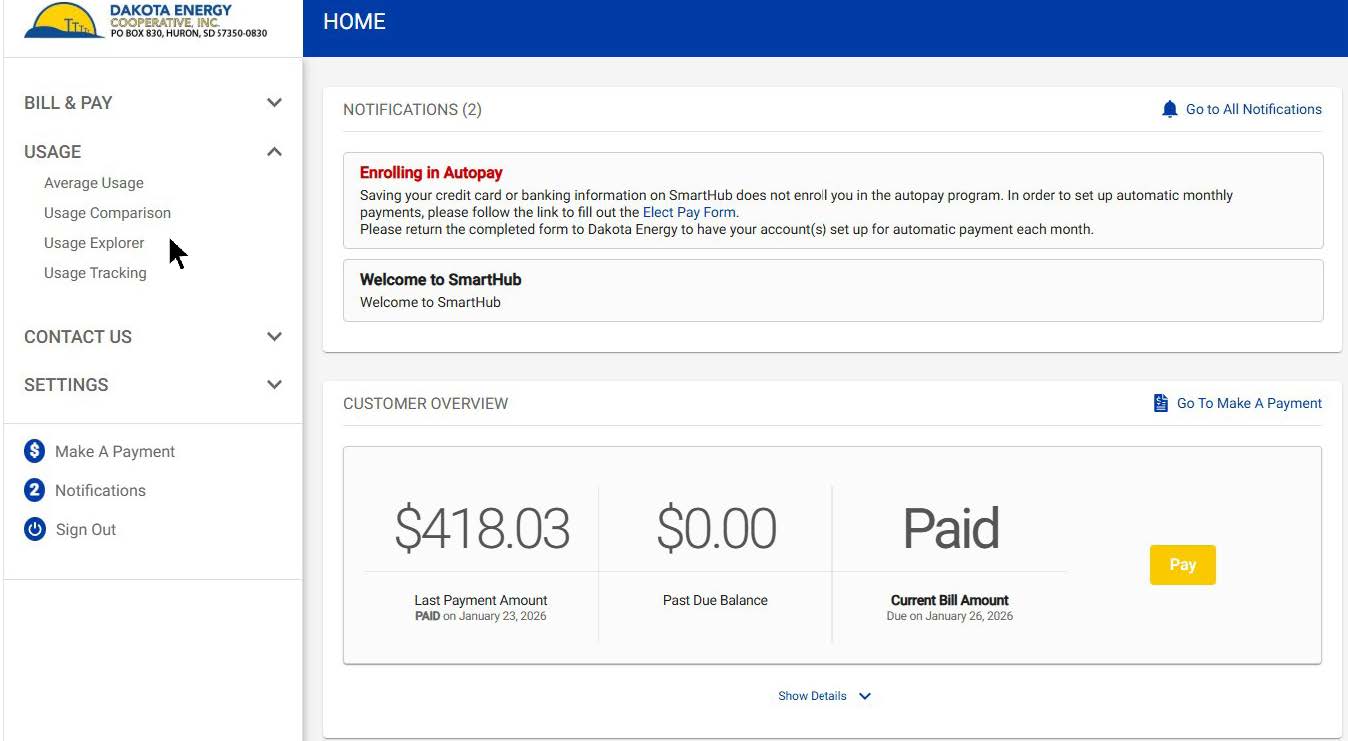
- Open an internet browser and search for the Smarthub login page.
- Log in using your email and password or if you do not have an account, click register now.
- After logging in, click Usage on the left menu, then select Usage Explorer.
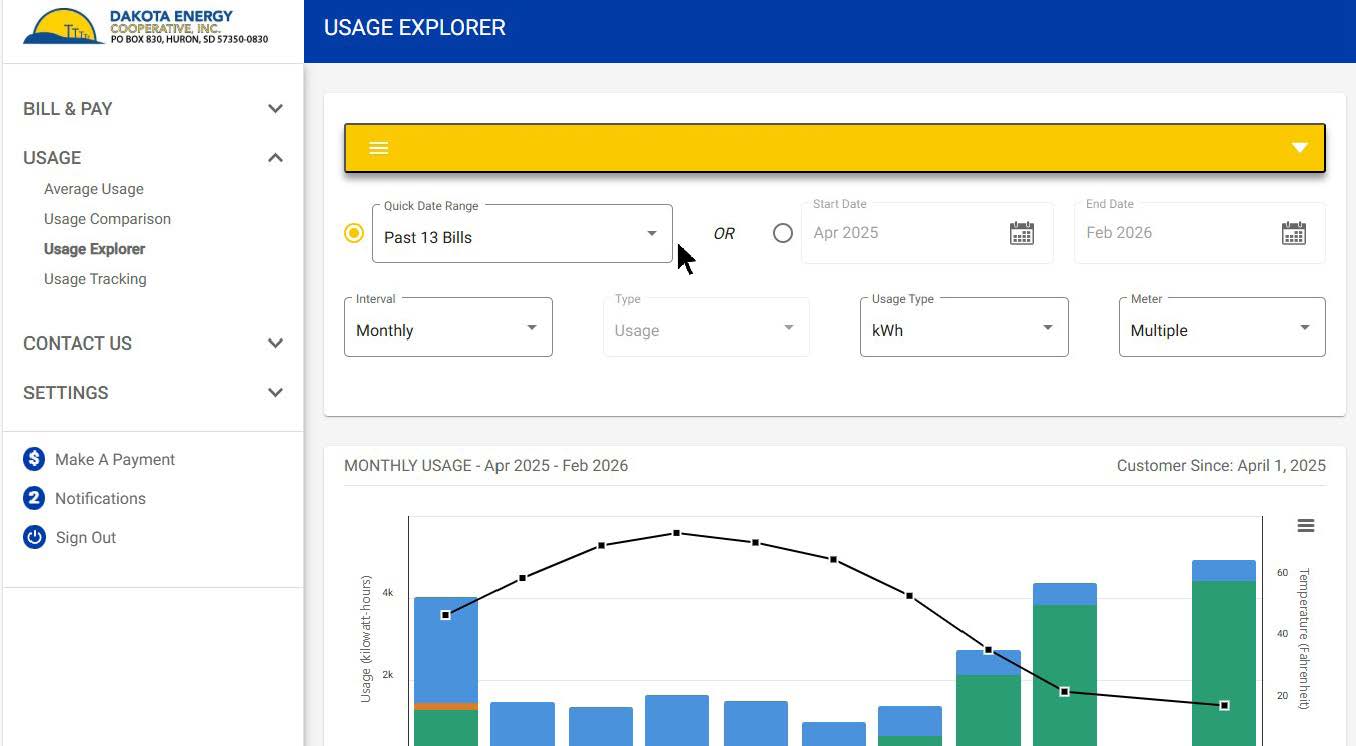
- Choose your date range by using the Quick Date Range dropdown menu.
- Select Unbilled to see electricity usage that has not yet appeared on your bill or choose another preset date range to see recent usage.
- Or enter your own Start Date and End Date.
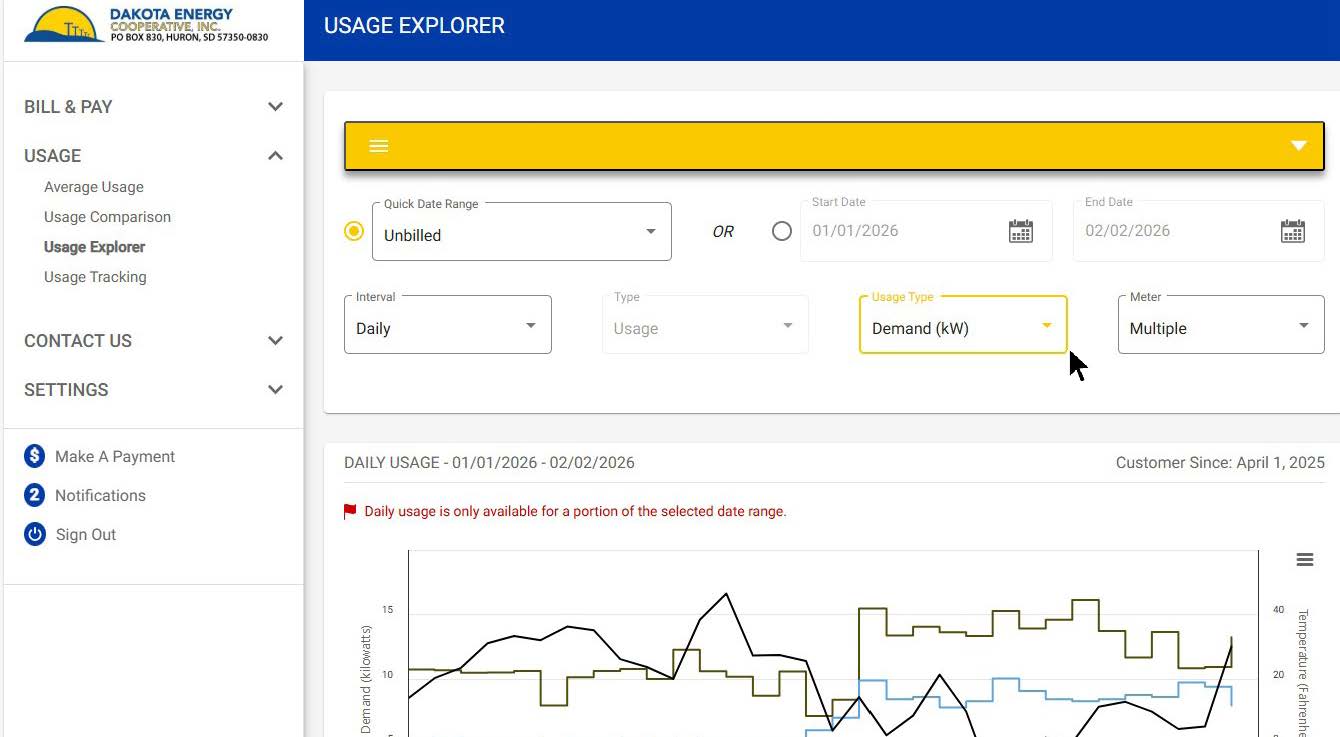
- Choose the Interval (Daily or Monthly).
- Select the Meter(s) you want to view.
- Find the Usage Type dropdown and select Demand.
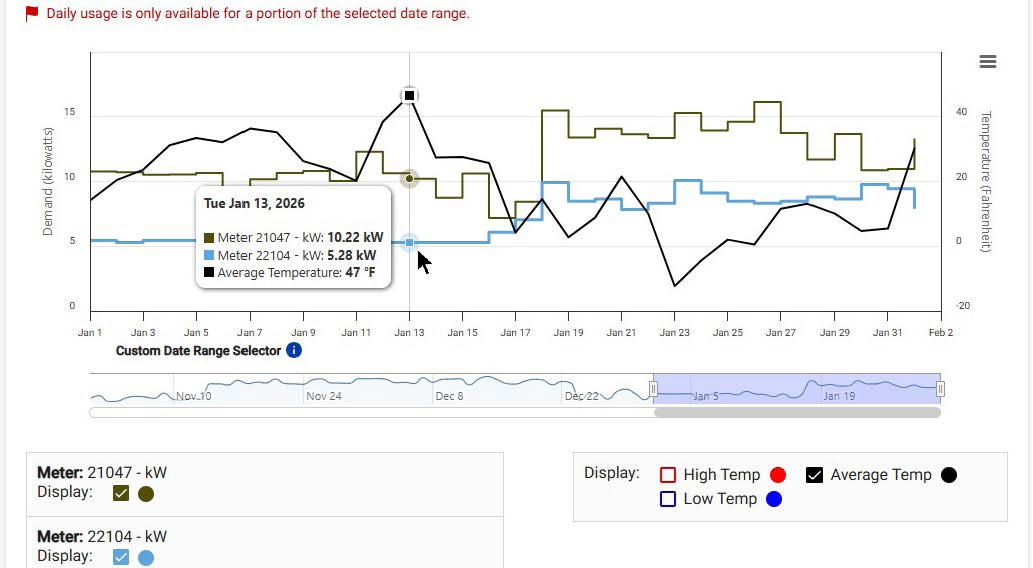
-
The bar chart on the screen will display your demand usage for the chosen timeframe.
Mobile App
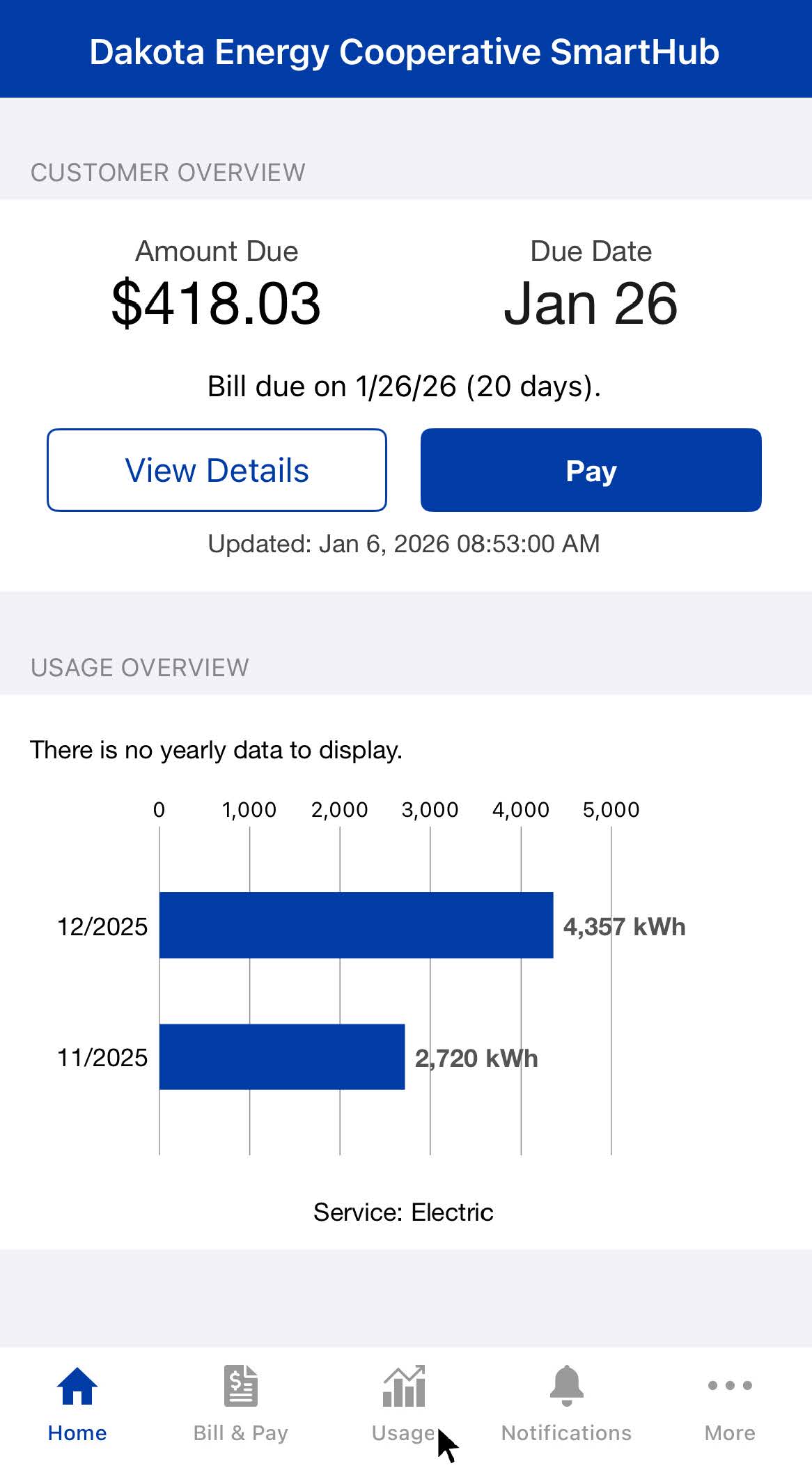
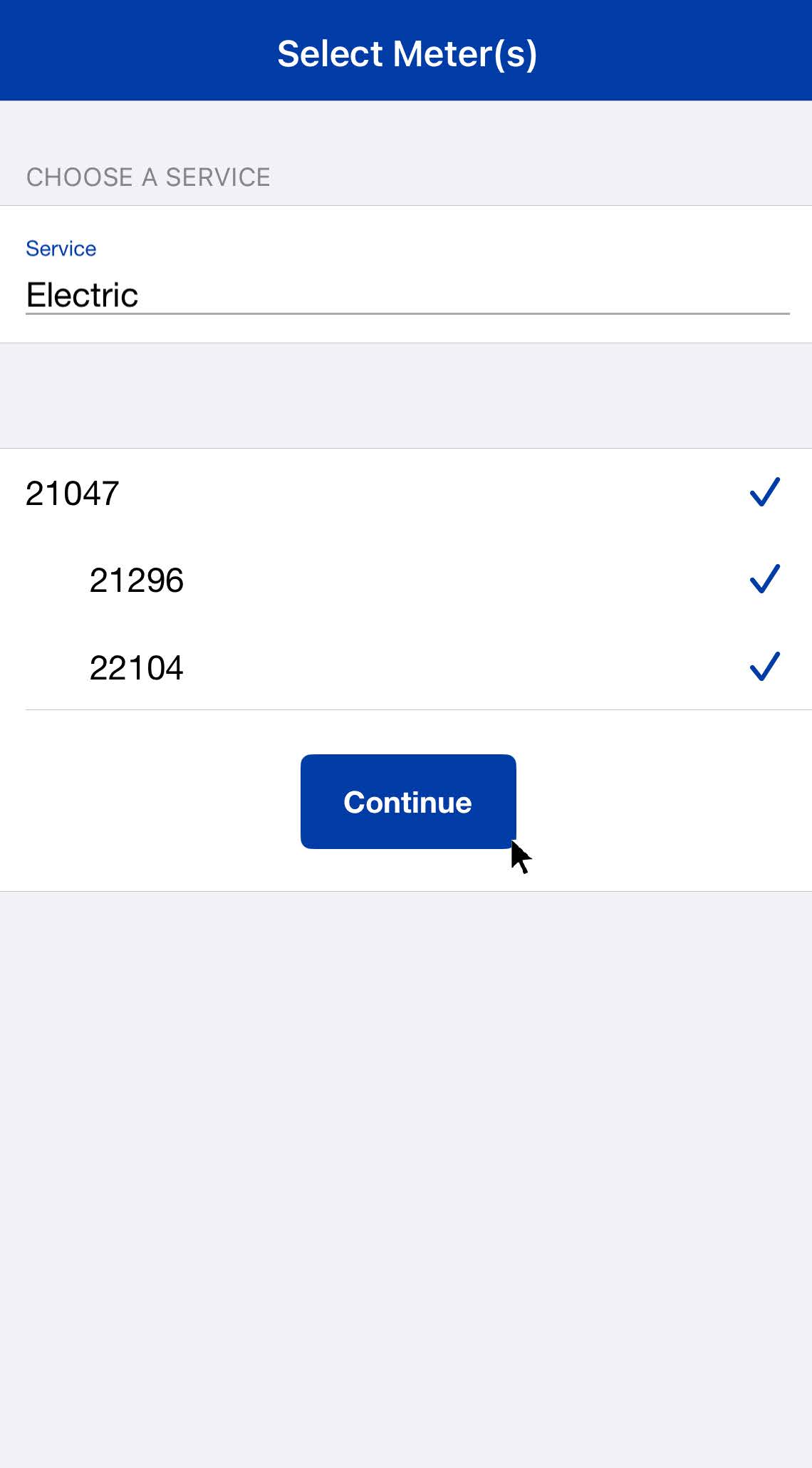
- Tap the Usage icon (chart symbol located in the bottom center of the screen).
- Choose the meter(s) you want to view and tap Continue.
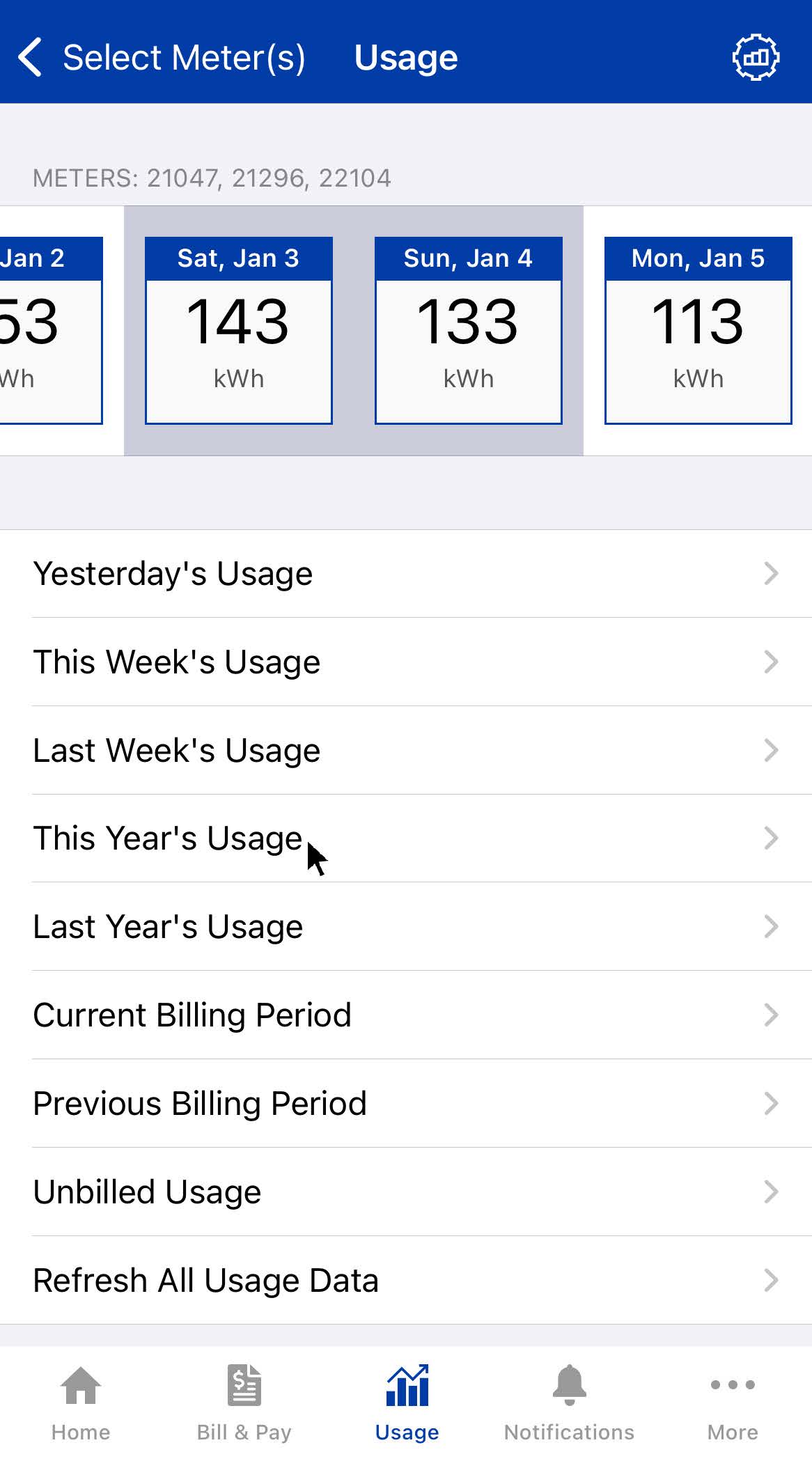
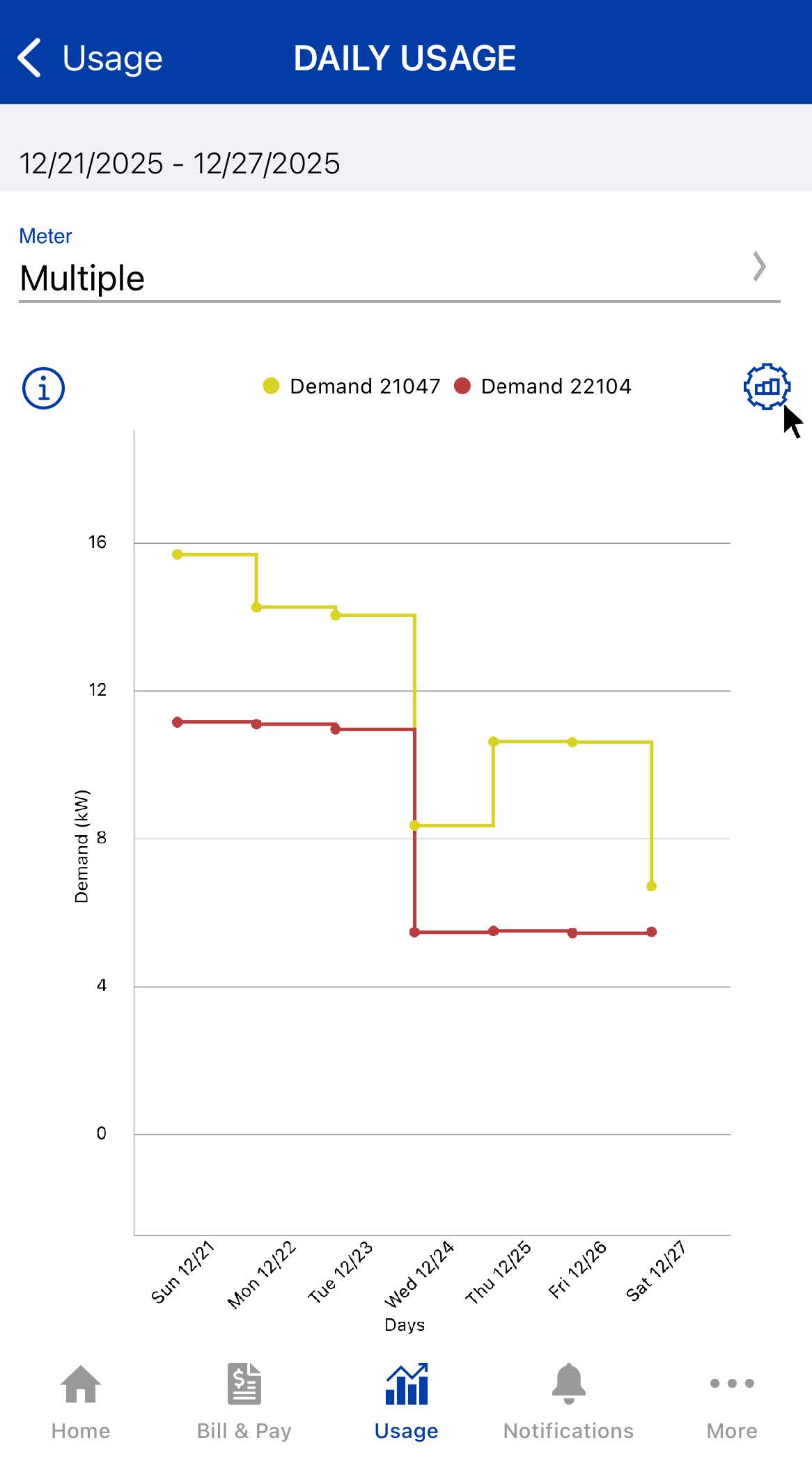
- Choose the timeframe you want to review.
- Select Unbilled to see electricity usage that has not yet appeared on your bill.
- Tap the gear icon on the right side of the screen to adjust viewing options.
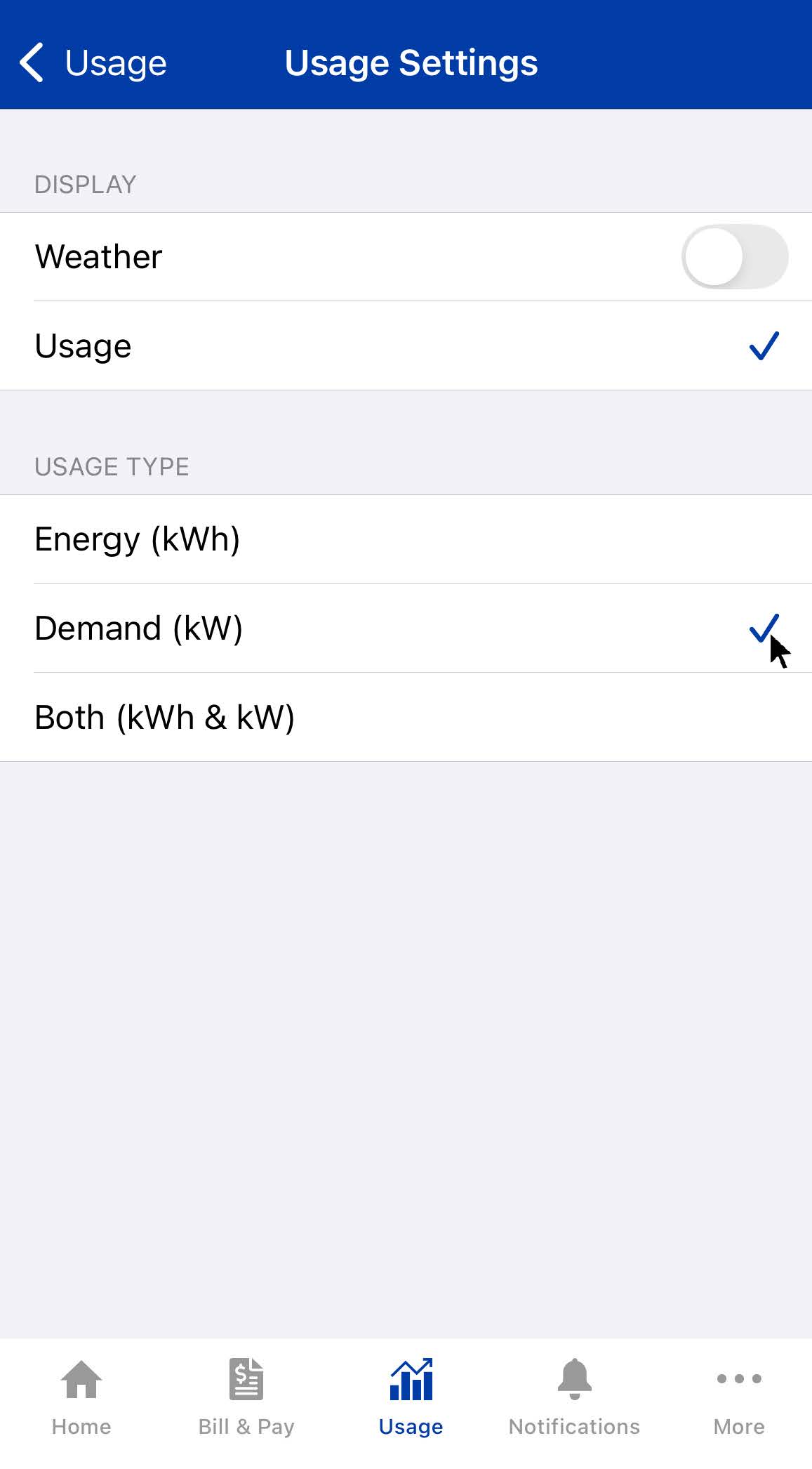
- Select Demand (kW).